 Pete Freitag
QuickSilver
By Pete Freitag

I have read things about QuickSilver for a while, but never got around to trying it. Well I finally installed it, and had my ah-ha moment with it.
QuickSilver is a launcher for Mac OSX, I know I thought I didn't need one either, but once you try it you will see how fast it is to launch your programs. If you like using shell's because you can do things quickly in them, then quicksilver is for you.
How it works
So let's say I want to launch Eclipse. All I have to do is press a hotkey (I use command + space) and start typing the name of the program, so I type an e, and then a c, and quicksilver has already narrowed it down to Eclipse for me, so I just hit enter.
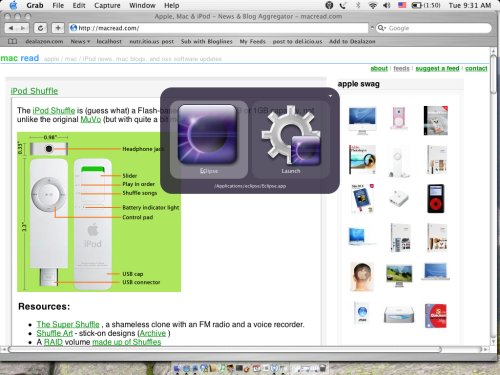
You can use quick silver to launch much more than just apps though, you can access contacts, songs with iTunes, url's, etc.
Update: Programs like this are no longer necessary since Mac OS now comes with Launchpad which lets you do similar things.
QuickSilver was first published on April 05, 2005.
http://www.43folders.com/quicksilver/